Simple Python Web App
-
This tutorial will teach you how to create a simple web app using the NASOS SDK
-
This app will be using the Python language with the web.py framework
-
The app will simply display a simple, static webpage
Note
You can download the full source code for this tutorial
Project File
Create the project using:
mkdir -p ~/Projects/webapp
echo -e "com.nasos.webapp\n1.0\norg.debian.wheezy-lamp-1.2" | sudo rainbow --init ~/Projects/webapp/
sudo chown -R rainbow:rainbow ~/Projects/webapp
Edit ~/Projects/webapp/package.json so it contains:
{
    "type": "application",
    "id": "com.nasos.webapp",
    "version": "1.0",
    "depends": [
        "org.debian.wheezy-lamp-1.2"
    ],
    "network_ports": {
        "WEB_UI": 8080
    }
}
As can be seen, we will use the org.debian.wheezy-lamp-1.2, since we need
Python, and we declare the port 8080 for our WEB_UI.
Startup Script
Create the source directory:
mkdir -p ~/Projects/webapp/source
And create the ~/Projects/webapp/source/rc.local file with the following
content:
#!/bin/sh -e

PIDFILE=/var/run/webapp.pid
case $1 in
    start)
        start-stop-daemon --start \
                          --make-pidfile \
                          --pidfile $PIDFILE \
                          --background \
                          --startas /usr/bin/webapp.py
        ;;
    stop)
        start-stop-daemon --stop --pidfile $PIDFILE
        rm -f $PIDFILE
        ;;
esac

exit 0
App Source Code
The app is composed of a single Python file. Create the
~/Projects/webapp/source/webapp.py file with the following content:
#!/usr/bin/python
import web
import os
urls = (
    os.environ['RAINBOW_WEB_PATH'], 'index',
    os.environ['RAINBOW_WEB_PATH'] + '/', 'index',
)

class index:
    def GET(self):
        return "Hello, world!"

class MyApplication(web.application):
    def run(self, port, *middleware):
        func = self.wsgifunc(*middleware)
        return web.httpserver.runsimple(func, ('0.0.0.0', port))

if __name__ == "__main__":
    web.config.debug = False
    app = MyApplication(urls, globals())
    app.run(port=int(os.environ['RAINBOW_PORT_WEB_UI']))
Build Script
Create the ~/Projects/webapp/build.sh file with the following content:
#!/bin/bash
install -m 755 /home/source/rc.local /etc
install -m 755 /home/source/webapp.py /usr/bin
pip install web.py
exit 0
This script:
- Installs the
rc.localscript in the app’s/etc - Installs the
webapp.pyscript in the app’s/usr/bin - Installs the
web.pypython module usingpip
Build the App
You can then build the app using:
sudo rainbow --build ~/Projects/webapp
sudo rainbow --pack ~/Projects/webapp
Then install it for testing:
sudo rainbow --install ~/Projects/webapp/build/x86_64/com.nasos.webapp-1.0-x86_64.rbw
And check its URL:
sudo rainbow --list com.nasos.webapp
Which should return something like:
-- com.nasos.webapp: Webapp
    version                         : 1.0
    architecture                    : x86_64
    install_path                    : /opt/rainbow/webapp-34da237
    state                           : running
    blocking_state                  : not_blocked
    startup_mode                    : auto
    install_id                      : webapp-34da237
    public_key_hash                 : None
    nasos_min_version               : None
    nasos_max_version               : None
    url                             : http://10.0.2.15/apps/webapp
    PIDS:
      \- 5306 : /usr/bin/python /usr/bin/webapp.py
    NETWORK PORTS:
      WEB_UI                        : 8080
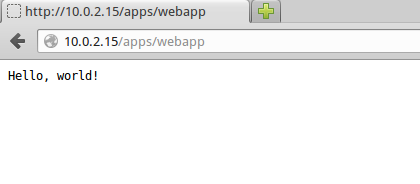
Open the http://10.0.2.15/apps/webapp in the browser, you should get: